
Symptoms
Halo tire pressures displayed in portal or tech app are different than pressure from gauge
Possible causes
-
Hoses are connected to incorrect hose port on tire inflator.
-
Hoses are not fully connected to tire inflator or valve stem.
-
Tire inflator or sensor is not attached to intended tire position.
-
Manual gauge may be inaccurate.
What to do
-
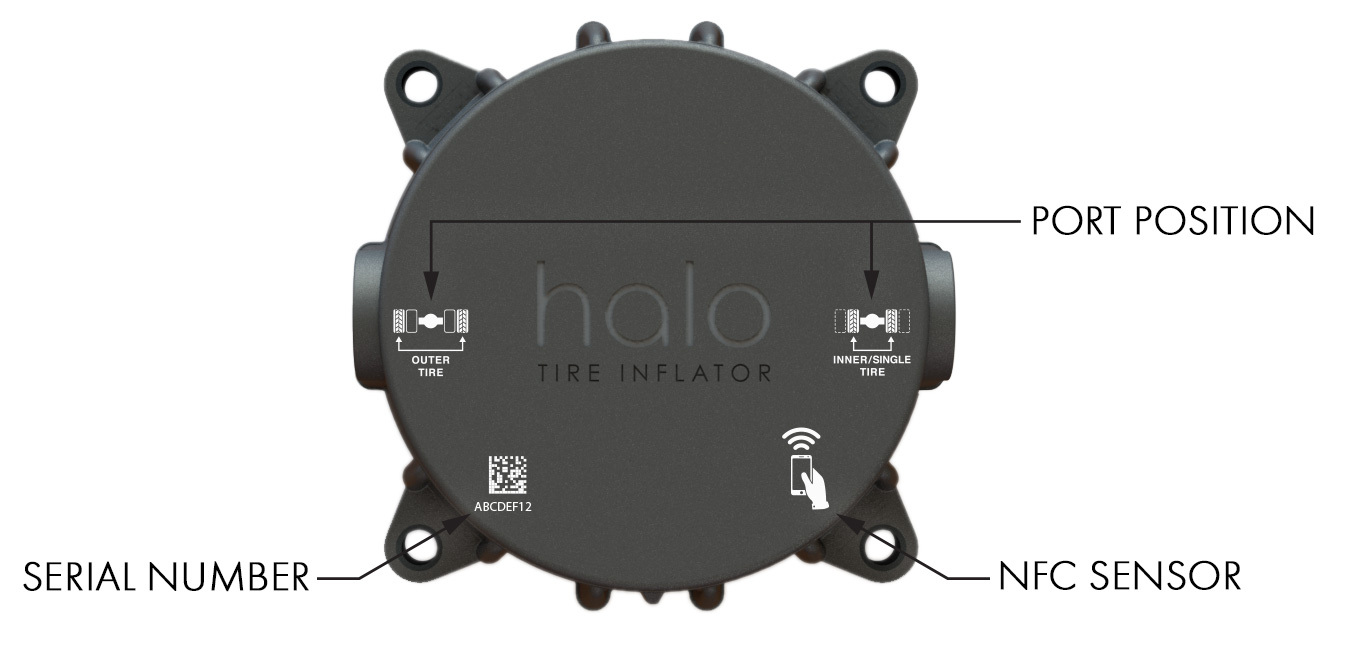
Confirm hoses connected to the correct port on tire inflator as shown on front of device.
(Note: wide-base or single tires should be connected to the inner tire port). -
Confirm hose is tightened to airtight +3/4 turn and check tire pressure at valve stem on hose.
-
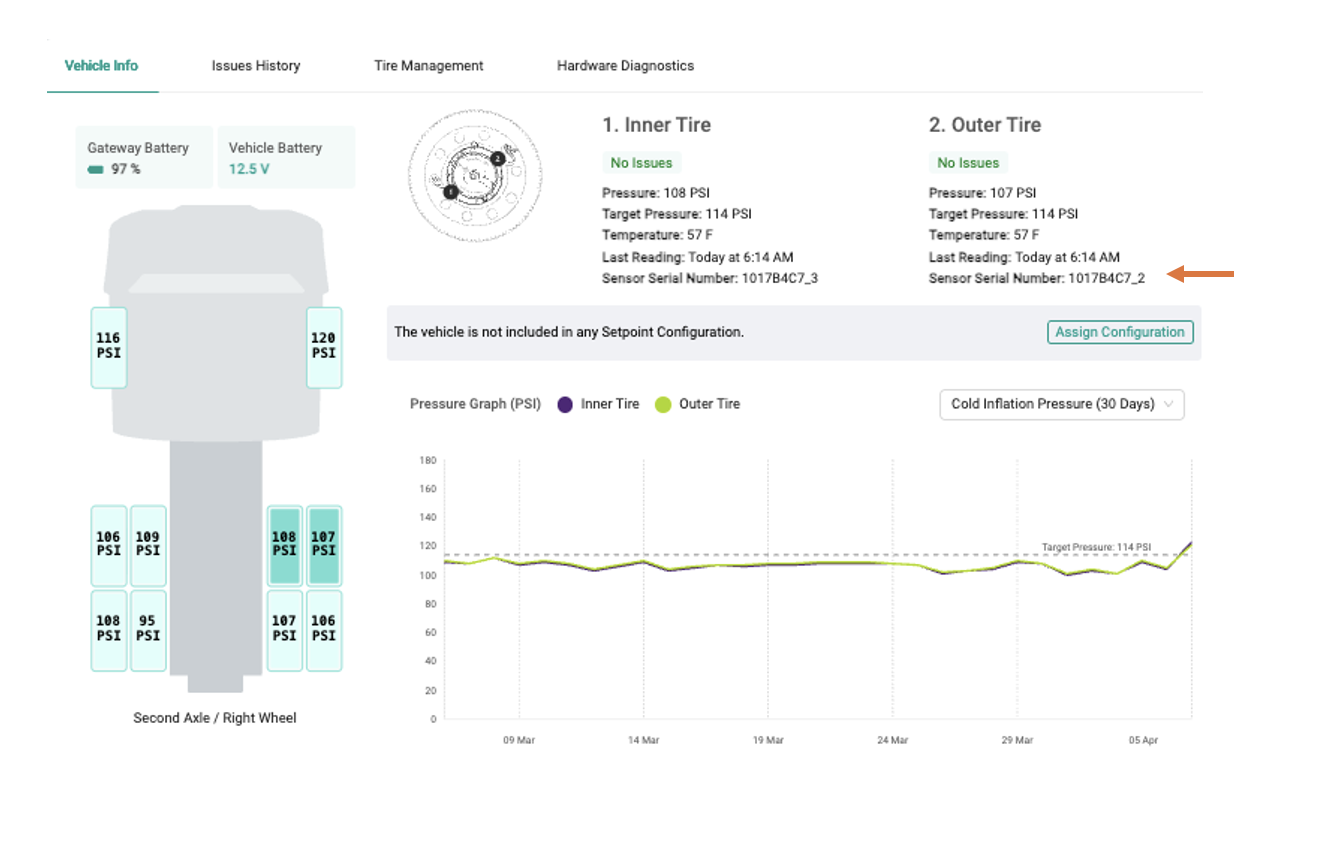
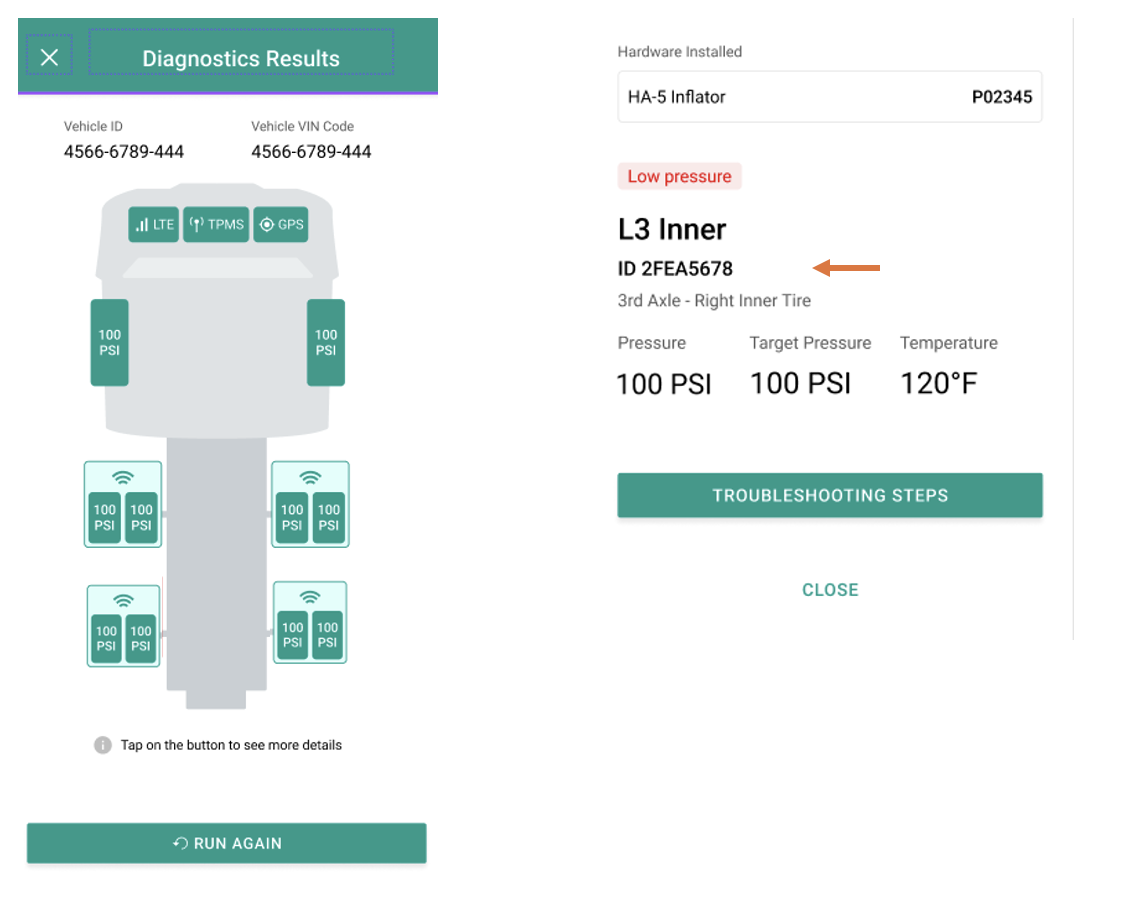
Confirm sensor ID/serial number in the portal or halo tech app matches either the serial number printed on the sensor or tire inflator attached to that tire position.
Here is the location of the ID on a sensor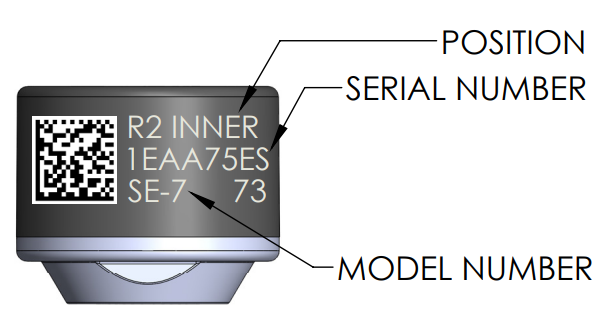
Here is the location of the ID on the tire inflator:
To compare the serial number on the device to the serial number listed in the portal, open the portal, select the appropriate vehicle and tire in vehicles tab, and the serial number will be displayed as shown below, indicated by the red arrow:
To compare the serial number on the device to the serial number llisted in the halo tech app, open the tech app, select diagnostic mode and then select the appropriate tire as seen below, indicated by the red arrow:
-
Inspect manual gauge to ensure accuracy.
If issue continues
If the tire pressure shown in the Halo system still differs from the manual gauge by more than 2 to 3 PSI after completing these checks, contact Aperia Support.
If possible, provide the vehicle or asset information, affected tire position, sensor or Tire Inflator serial number, pressure shown in the Halo system, and pressure measured with the manual gauge. 📞 Contact Us